Are you facing slow load times or struggling to hold your spot in search results? If yes, your site speed could be the core problem. Well, things like server response time, bulky image files, and render-blocking code are often in the mix too.
The thing here is nobody wants to lose visitors to a slow site, so you need to know what to fix. At Matter Solutions, we help businesses drive digital growth by improving website speed and overall performance. In this article, we explain how to optimise site speed for SEO with practical fixes tested across real client sites. We also cover the technical changes that move the needle on your page speed and load time.
To find out exactly what’s slowing your site down, keep reading.
Is Page Speed Really a Ranking Factor?
Yes, page speed is a ranking factor, and Google has been using it to assess both mobile and desktop search results since 2018. That year, Google rolled out the Speed Update, confirming that slow-loading pages would be penalised in mobile search rankings.
Since then, things have moved further. Google introduced Core Web Vitals as part of its page experience signals. In fact, load time is now a measurable part of how search engines score your site. Google also looks at how stable your page is visually, how fast it responds to clicks, and how quickly the main content loads for the user.
With that in mind, faster sites do tend to rank higher across competitive search results. Search engine optimisation today does not depend only on content and backlinks. Your website’s performance plays a direct role in where you show up. Ignoring speed means handing an advantage to every competitor who isn’t.
What Slow Load Time Actually Does to Your Site
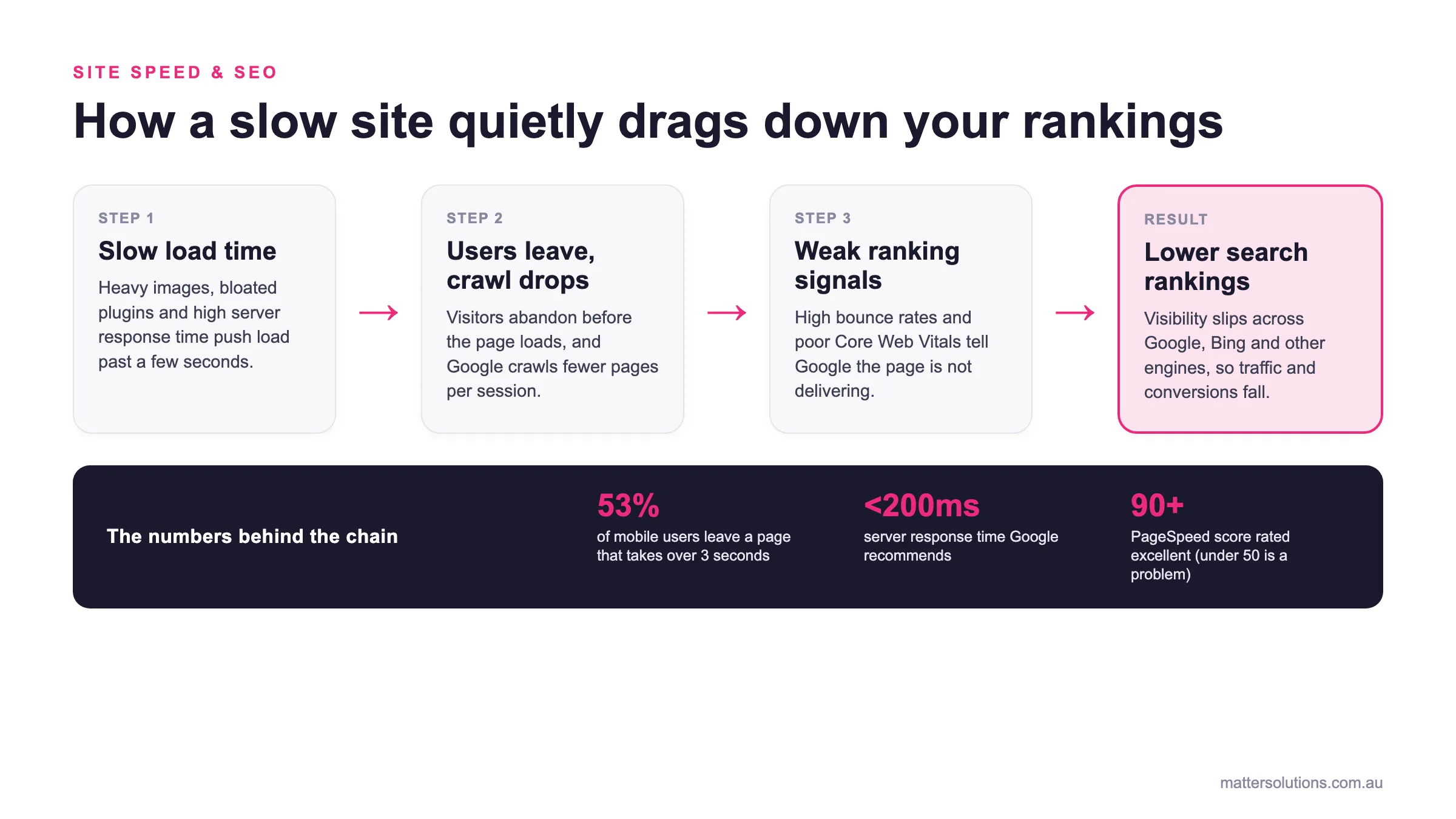
A single extra second of load time costs you visitors, conversions, and crawl budget before you’ve even noticed the drop. Here’s what actually happens when your website speed falls behind.
- One-Second Delay, Real Money Lost: A small delay in page load is enough to push visitors away before they’ve even seen your offer. We’ve seen this time and again with clients who had no idea their loading speed was quietly draining their conversion rate. Once site speed improved, so did their bottom line.
- Bounce Rates Climb Faster Than You’d Think: When your website’s performance dips, visitors don’t stick around to find out why. They leave, and they rarely come back. Poor load time sends a signal to search engines, too, which affects how often your pages show up.
- Google Crawls Less of Your Site: Slow loading speed directly affects your crawl budget. Google crawls fewer web pages on slow sites, which means new content takes longer to get indexed. If your site performs poorly, some pages may never get indexed at all.
Speed problems don’t stay small for long. The longer they go unfixed, the more ground you lose in search results.
How to Optimise Site Speed for SEO: The Full Picture
There isn’t one fix that solves everything, but a handful of changes do the heavy lifting when it comes to optimising site speed. Most website owners run a quick test, see a low score, and aren’t sure where to start. That’s completely normal.
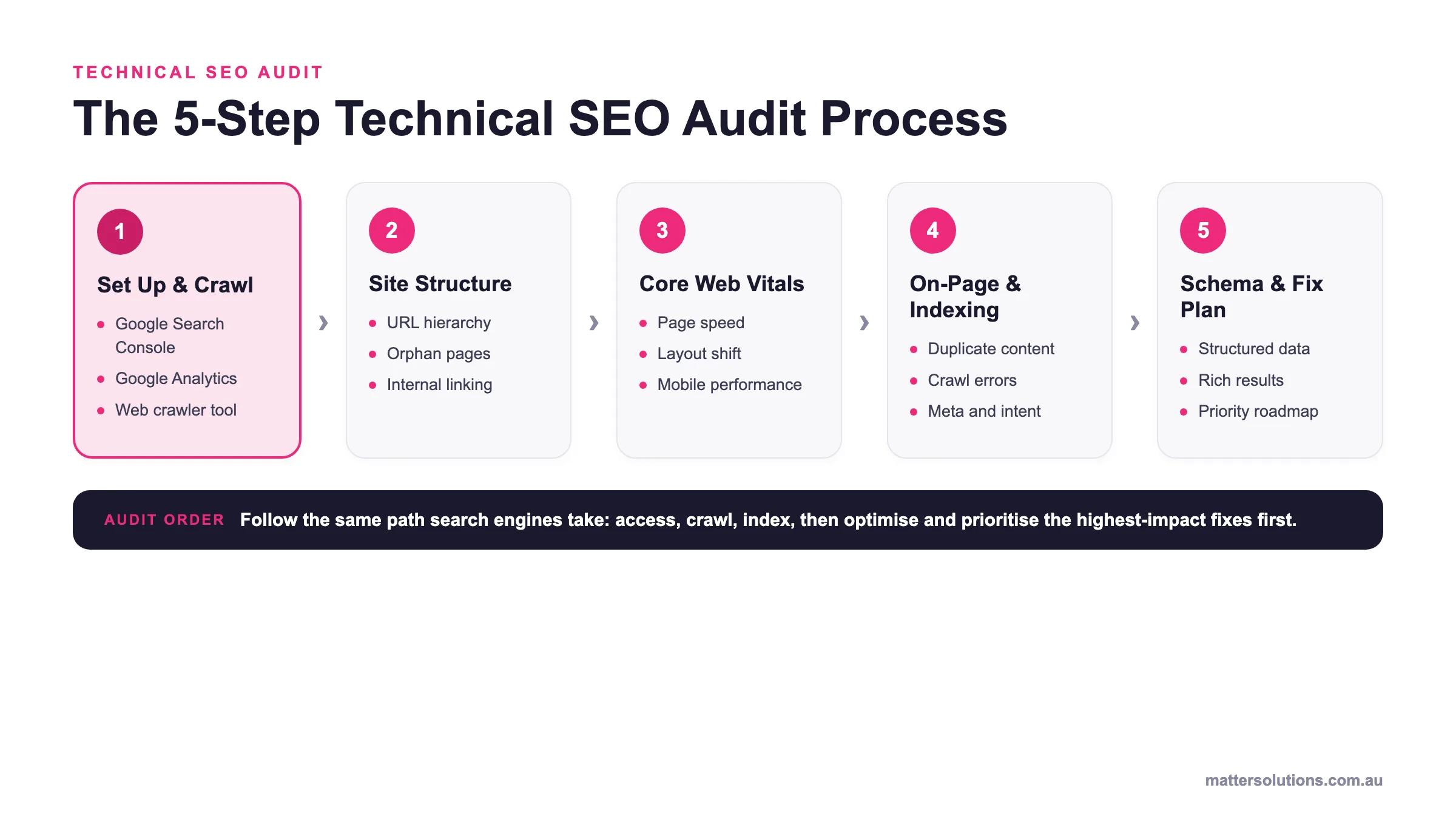
A full site speed optimisation audit tells you exactly where time is being lost in the loading process. Tools like Google PageSpeed Insights are among the most useful free tools available for this. They give you a clear breakdown of what’s slowing your site down. So naturally, the four areas below are where you’ll want to focus first.
| Optimisation technique | Impact on page speed | Effort |
|---|---|---|
| Optimise images (WebP + compression + lazy loading) | High. Image files are often the single biggest contributor to slow page load. Cuts file weight and defers off-screen images. | Low |
| Defer and async JavaScript | High. Lets the visible page render first instead of waiting on non-critical scripts, improving perceived speed. | Medium |
| Enable Gzip compression | Medium. Shrinks CSS and JS before they reach the browser, cutting time to first byte. | Low |
| Reduce HTTP requests (combine CSS, minify) | Medium. Fewer separate fetches mean the browser starts displaying content sooner. | Low |
| Cut server response time (VPS or CDN) | High. A faster first byte unblocks everything else. A CDN serves pages from a location closer to the visitor. | Medium |
| Minify and inline critical CSS | Medium. Removes render-blocking CSS so above-the-fold content paints first, improving First Contentful Paint. | Medium |
Optimise Images and Cut Down File Weight
High-quality images in the wrong format add unnecessary load to every page request. In fact, image files are often the single biggest contributor to a slow page load. Converting to WebP and compressing files reduces image size without any visible quality loss, according to Google’s image performance guide.
On top of that, lazy loading defers off-screen images until users scroll down to them. That keeps your initial page load lean and stops the browser from fetching images the visitor hasn’t even reached yet.
Defer JavaScript Loading to Speed Things Up
JavaScript loading blocks the browser from rendering page content until every script finishes running. That means visitors stare at a blank or half-loaded page while scripts they may never use finish downloading. Deferring non-critical scripts lets the visible page load first, which improves perceived speed straight away.
Here’s where it gets interesting. Asynchronous loading handles external scripts like chat widgets and third-party tools without holding up the main thread. Simply put, your page doesn’t have to wait for everything to be ready before showing content to the visitor.
Enable Gzip Compression on Your Server
Gzip compression reduces the size of your CSS and JavaScript files before they reach the user’s browser. Smaller file sizes mean less data travelling between your server and the visitor’s screen. Most modern servers support it, and it often just needs switching on in your hosting settings.
That said, a lot of website owners skip this step simply because they don’t know it’s there. Once enabled, compressed files transfer faster, which directly cuts down your time to first byte and speeds up the overall loading process.
Reduce the Number of HTTP Requests
Every image, script, and stylesheet on a page creates a separate HTTP request. The more requests your page makes, the longer the browser spends fetching website resources before anything appears on screen. Combining CSS files and minifying scripts reduces the total number of HTTP requests per load.
Honestly, this is one of the more straightforward wins in site speed optimisation. Fewer HTTP requests means the browser gets to work on displaying your content sooner, rather than queuing up dozens of individual fetch calls before the page even starts to appear.
Server Response Time: Why It Slows You Down
Since you’re aware of what slows things down on the front end, server response time is the back-end piece most website owners overlook. It’s measured by something called TTFB, or time to first byte. That’s how long your hosting server takes to send the very first piece of data back to the visitor’s browser after they request a page.
A slow server means everything else waits. Your browser can’t start loading content, parsing CSS files, or running scripts until that first byte arrives. Shared web hosting services are a common culprit here. When your site shares server resources with hundreds of other websites, a spike in their traffic can slow your site’s performance noticeably.
Upgrading to a virtual private server or adding a content delivery network can cut response times significantly. A CDN stores copies of your site across multiple locations, so visitors load your pages from a server that’s physically closer to them.
That alone can improve your website’s performance without touching a single line of code. For help with hosting that supports better speed and website security, it’s worth talking to a team that understands both.
CSS Files and How They Affect Your Speed Score
CSS files are one of the less obvious culprits behind a poor speed score. They’re worth understanding because they directly block your browser from rendering visible content fast.
When a user’s browser loads a web page, it reads your CSS files before displaying anything on screen. That means render-blocking CSS can hold up the entire loading process, even if everything else on your site is well optimised. Simply put, the browser won’t show the page until it’s finished reading those files.
Minifying CSS removes unnecessary whitespace, comments, and line breaks from your code without changing how your styles actually work. It’s a quick win that reduces file sizes and speeds up how fast your HTML code reaches the visitor. Most content management systems have plugins or built-in tools that handle this automatically.
More importantly, loading only critical CSS inline and deferring the rest improves your page load times noticeably. Your browser gets what it needs to display the above-the-fold content first, and everything else loads in behind it. We’ve seen this single change improve First Contentful Paint (FCP) scores across a range of client sites.
Faster Sites, Better Results: What the Data Shows
The data on site speed is clear, and the numbers are hard to ignore. Faster pages bring more traffic, better search engine rankings, and higher revenue. Take a look at what the research consistently shows:
| Page Load Time | User Behaviour Impact |
|---|---|
| Under 2 seconds | Lowest bounce rates, highest conversions |
| 3 seconds | More than half of mobile users abandon the page |
| 5 seconds | Bounce probability increases sharply |
| 1s vs 5s load | Sites loading in 1s convert 3x better |
That table tells a pretty clear story. Website speed affects every part of your funnel. Slow page load times push visitors away before they’ve even seen your offer.
Faster sites hold visitors longer, generate more pages per session, and convert at a higher rate across both mobile devices and desktop sites. Tracking those improvements is just as important as making them. Business Queensland’s digital performance guide highlights exactly what to measure and why it pays off.
Our findings show that even modest speed improvements lift overall site speed scores. You’ll see the difference in your analytics pretty quickly.
What Website Owners Get Wrong About Speed
Ever wondered why your site still feels slow after making changes? The answer is usually one of a few common missteps.
Many website owners jump straight to visual design fixes before addressing the technical load issues sitting underneath. A fresh coat of paint on a slow site doesn’t fix the engine. Start with a proper audit, and you’ll find the real problems a lot faster.
Installing too many plugins on content management systems like WordPress is another trap. Each plugin adds extra code, additional requests, and more weight to every page load. On top of that, bloated plugin lists quietly drag down your website’s performance in ways that are easy to miss.
Running speed tests from only one location is also worth flagging. Regional server load and network conditions vary widely across Australia, so your results won’t always tell the full story. Honestly, a site that loads fine in Sydney might struggle in Perth, and you’d never know if you only tested from one spot.
Enable browser caching as well. It lets returning visitors load your pages faster by storing website resources locally on their device. Without it, every visit triggers a full reload, which adds unnecessary strain to your hosting server and slows the loading process down for everyone.
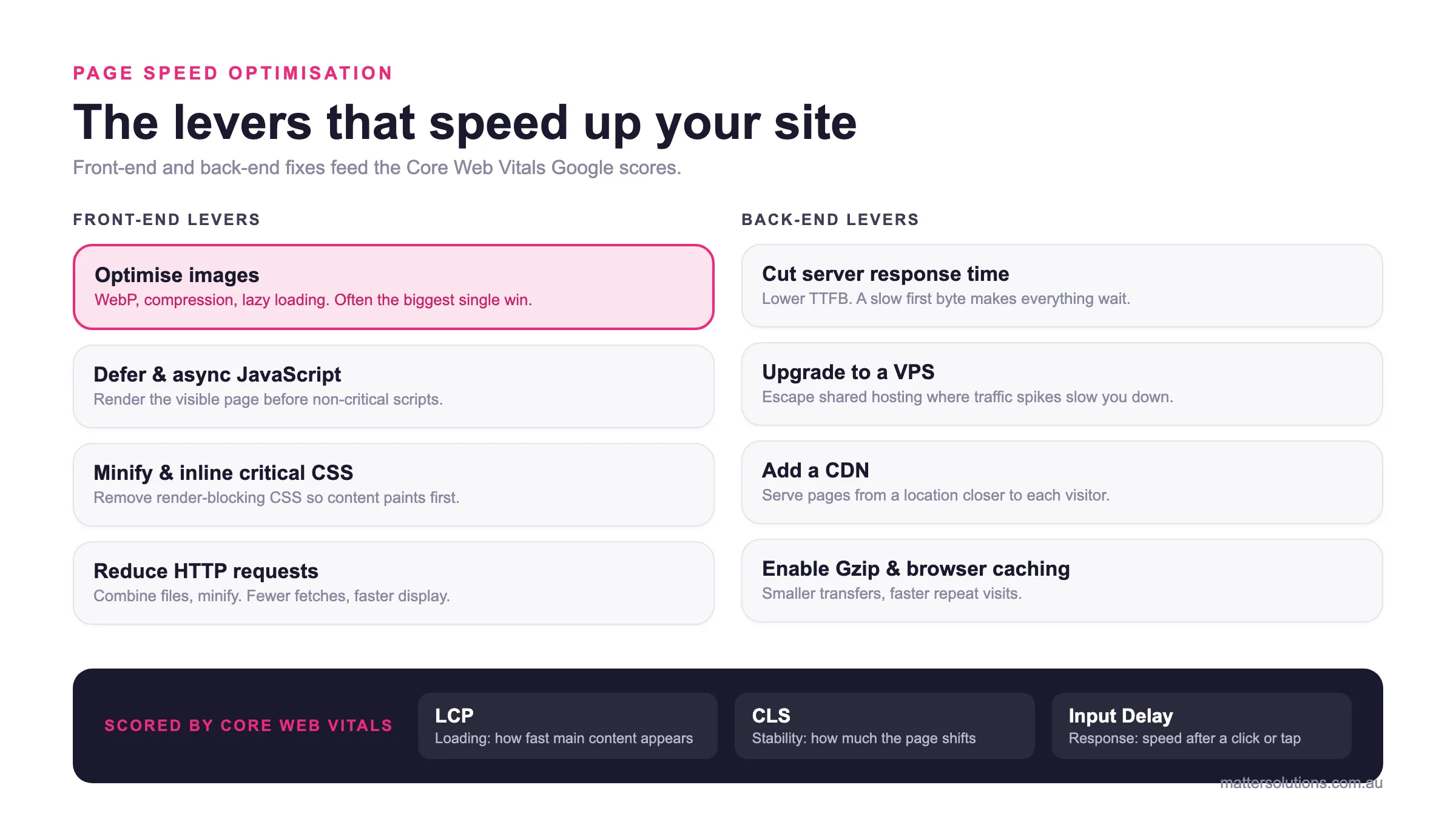
Page speed optimisation
The levers that speed up your site
Front-end and back-end fixes feed the Core Web Vitals Google scores.
Front-end levers
Optimise images
WebP, compression, lazy loading. Often the biggest single win.
Defer & async JavaScript
Render the visible page before non-critical scripts.
Minify & inline critical CSS
Remove render-blocking CSS so content paints first.
Reduce HTTP requests
Combine files, minify. Fewer fetches, faster display.
Back-end levers
Cut server response time
Lower TTFB. A slow first byte makes everything wait.
Upgrade to a VPS
Escape shared hosting where traffic spikes slow you down.
Add a CDN
Serve pages from a location closer to each visitor.
Enable Gzip & browser caching
Smaller transfers, faster repeat visits.
Scored by Core Web Vitals
The front-end and back-end levers that improve page speed, and the Core Web Vitals Google uses to score the result.
How Your Speed Shows Up in Google’s Search Results
Your site speed directly influences how Google scores and ranks your pages in search results, and visitors feel it too. Google measures this through Core Web Vitals, a set of metrics that assess real-world page experience across all indexed pages.
There are three areas Core Web Vitals cover, and each one looks at something different. Largest Contentful Paint (LCP) measures loading performance, specifically how fast your main content appears on screen after someone lands on your page.
From there, Cumulative Layout Shift (CLS) focuses on visual stability, measuring how much your page jumps around as it loads. Anyone who’s ever tried to click a button only to have it move at the last second knows exactly why this one counts.
Then comes Input Delay, which tracks how quickly your page responds after a visitor clicks or taps something. A sluggish response there tells Google your page isn’t delivering a smooth experience.
Now that you know what each metric covers, a core web vitals assessment is how you find out where your pages actually stand. Pages that pass these thresholds can receive a ranking boost in Google’s search results. Poor scores, on the other hand, can suppress your visibility even when your content and backlinks are strong.
That’s where tools like Google PageSpeed Insights and Google Search Console come in. Both show your Core Web Vitals data for free, so you can see exactly which metrics need work. Accelerated mobile pages were an earlier attempt to solve mobile site speed, but Core Web Vitals are now the standard Google uses to measure performance across all users’ devices.
Your Site Speed Is Costing You. Let’s Fix That.
Site speed isn’t something that stays still. Every month your pages load slowly, you’re losing ground in search results, dropping visitors, and handing conversions to faster competitors. The longer it goes unfixed, the harder it gets to claw that back.
The good news is that most speed issues are fixable once you know where to look. A proper audit covers everything from server response time and CSS files through to image compression and browser caching. Done in the right order, those fixes produce a noticeably faster site without overhauling everything at once.
If your website speed is holding your business back, it’s time to talk to our experts. We audit site performance, identify what’s slowing your page load times down, and apply fixes that produce results you’ll see in your rankings and your analytics. Reach out today and find out exactly where your site stands.
Frequently Asked Questions About Site Speed
How Does Page Speed Affect Search Engine Results?
Page speed is a confirmed ranking signal that directly affects where your site shows up. Poor load time can hold back your technical SEO even when your content is strong. Faster sites tend to earn higher search rankings because Google rewards a better user experience.
How Do I Compress Images and Reduce JavaScript Files?
To compress images, convert them to WebP and run them through a compression tool before uploading. For JavaScript files, defer non-critical scripts and remove anything your site doesn’t need. Both steps cut file sizes and produce strong gains in overall site performance.
What Does Browser Caching Do for Website Speed?
Browser caching stores parts of your site on a visitor’s device after their first visit. When they return, the mobile site loads faster because the browser skips re-fetching every resource. On mobile devices with slower connections, that difference in load time is especially noticeable.
How Do Core Web Vitals Affect My Site Speed Score?
Largest Contentful Paint LCP tracks how fast your main content loads on screen. Cumulative Layout Shift measures how stable your page stays while loading, and input delay covers how quickly it responds to clicks. A content delivery network can improve LCP by serving pages from locations closer to your visitors.
Does Site Speed Affect Mobile Users Differently?
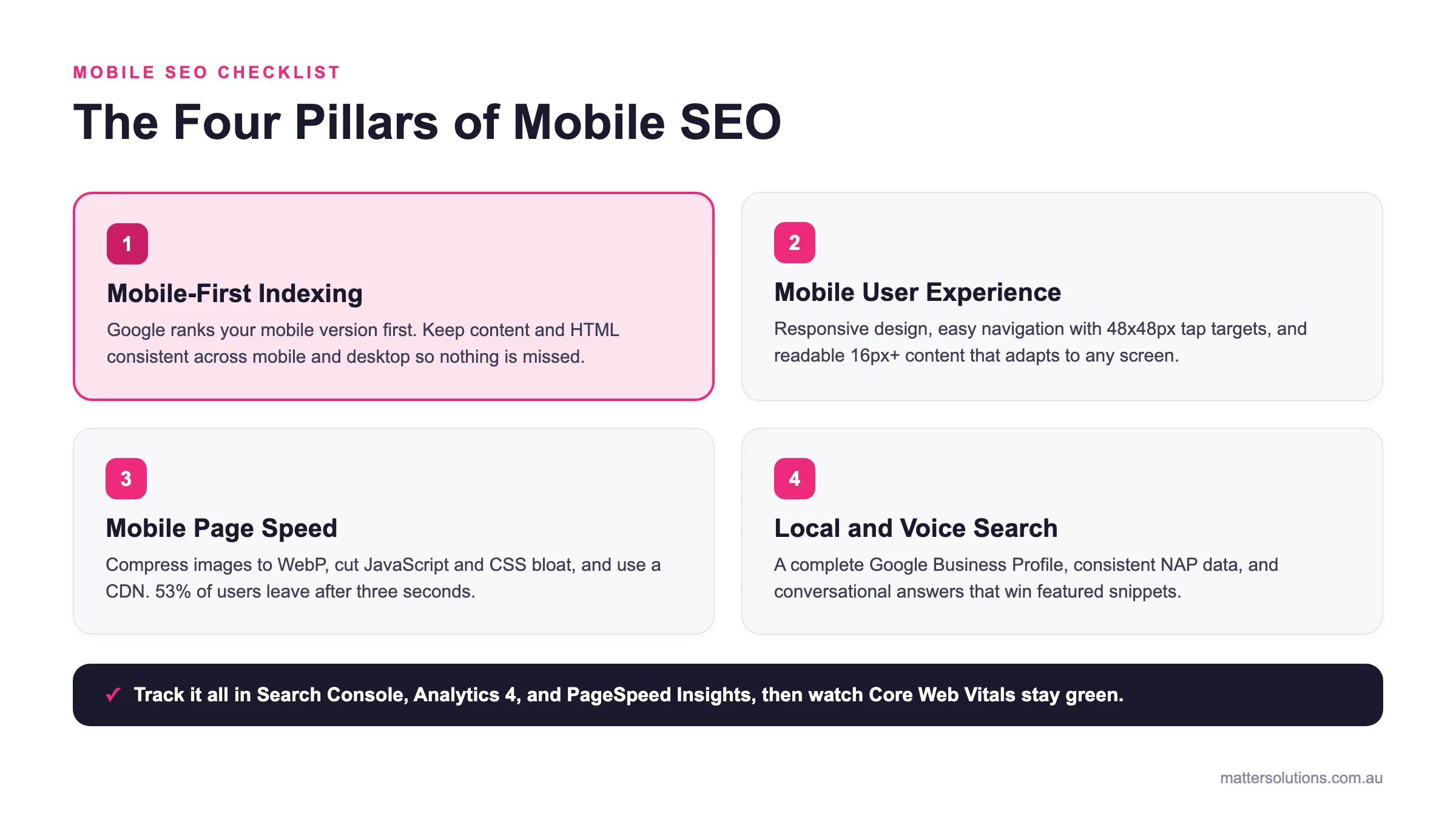
Mobile site performance is often worse than desktop because of slower connections and heavier page loads. Google uses mobile-first indexing, so your mobile site speed directly affects your rankings across all devices. Optimising for mobile devices first is the smarter approach for most Australian businesses.
Need help with your digital marketing?
Book a free strategy call and let's discuss your goals.
Book a Strategy Call